Skip to content
Dashwise

Assemble your business suite. Don't buy someone else's.

One data layer, one identity, one permission model. Only the applications you need.

The Asset management module: 25 tools listed with category, status, location and the next inspection due.

Your choice just got a lot easier.

How the three models compare
Monolithic ERPPoint SaaS toolsDashwise
Where data livesOne vendor's schemaFragmented per toolOne data layer per workspace
Changing somethingChange request, consultantsNot possibleInstall or build a module
Replacing one capabilityReplace the suiteAnother integrationSwap one module
Identity and permissionsSingle and rigidDuplicated everywhereShared, layered per module

Explore the four pillars

The Platform

Everything an admin runs from one place.

Six things your workspace brings before you install a single module.

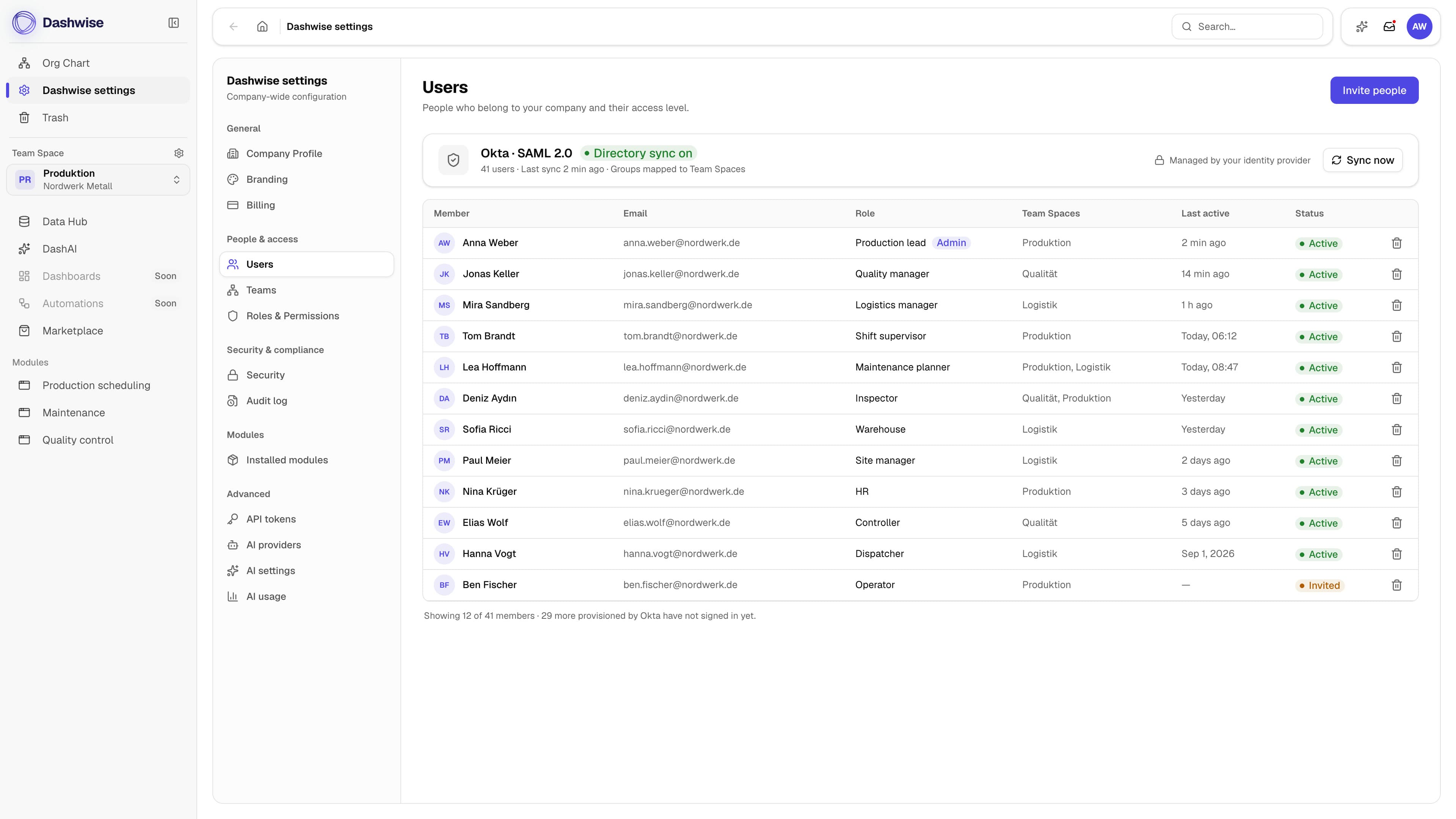
User and team management

Everyone sits in one directory. With SSO and SCIM, joiners and leavers follow your identity provider.

  • Invite by email or provision automatically through SCIM
  • One profile per person, however many modules they end up using
  • Deactivate once, and every module follows

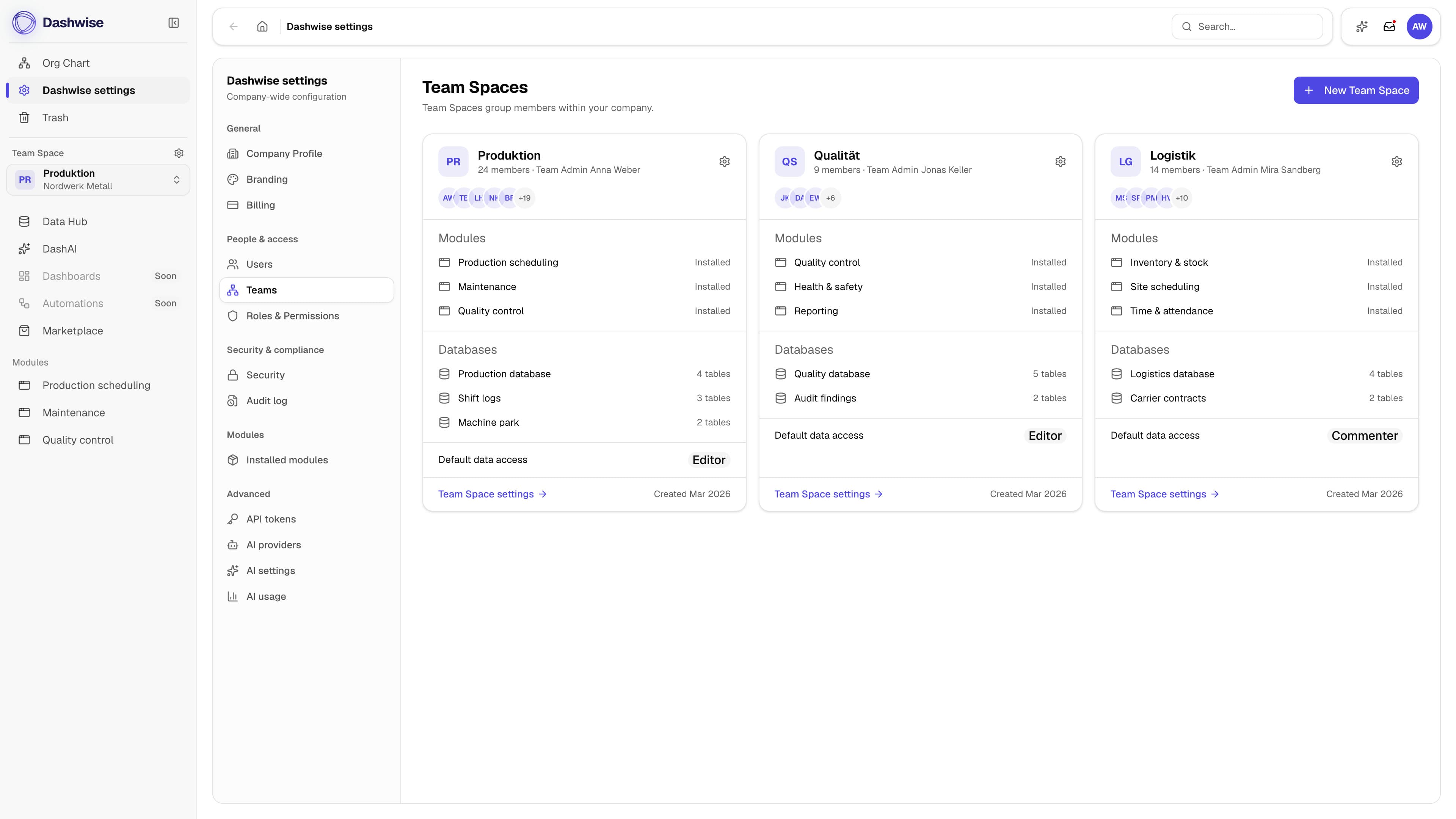
Teamspaces

A teamspace is a department's own corner of the workspace: its people, its modules, its views.

  • Own members, own modules, own saved views
  • A person sits in as many spaces as their job needs
  • Nothing is duplicated, there is one directory underneath

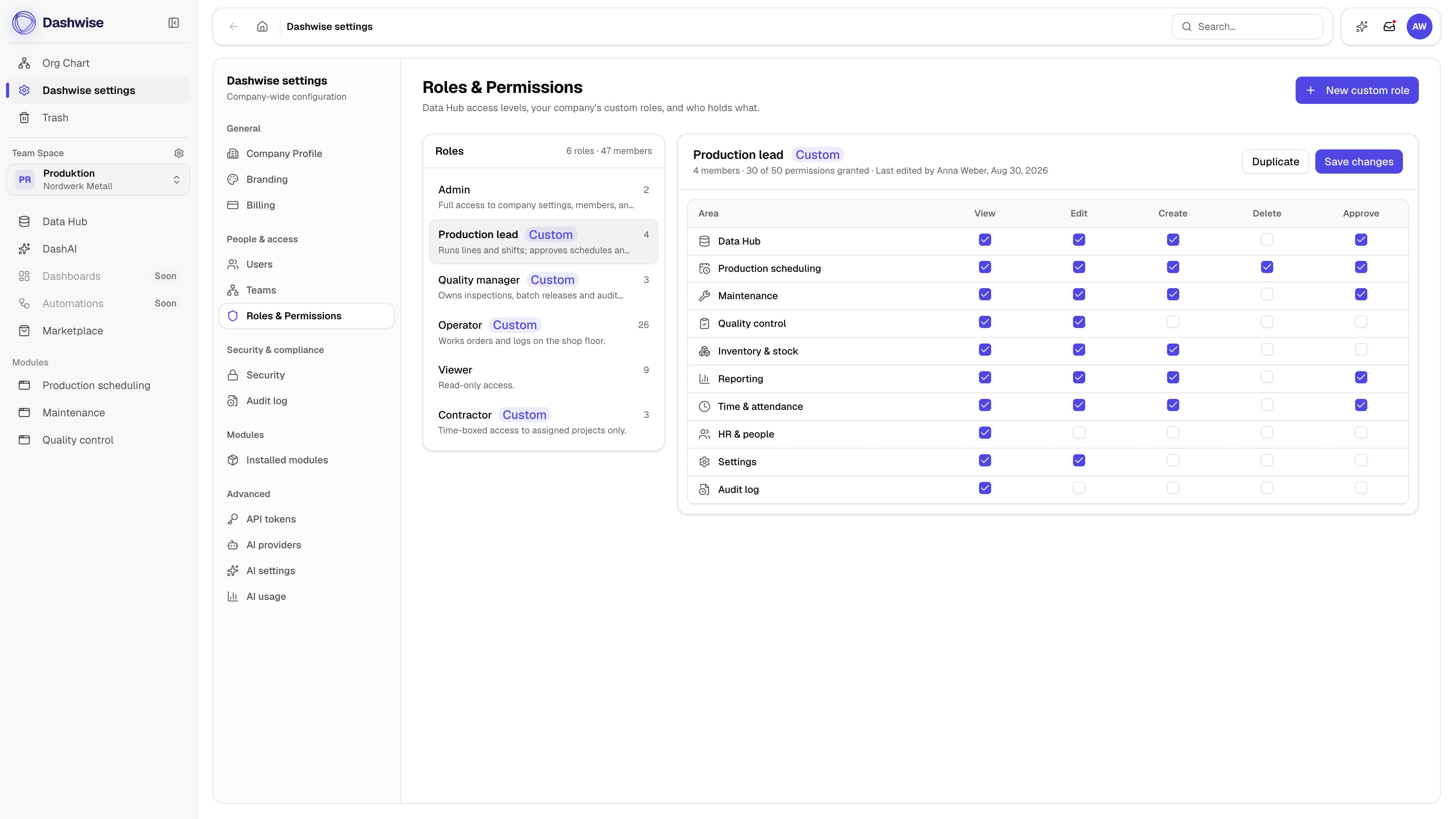
Roles and permissions

Access is decided once, per role. The module, an export and a DashAI answer all ask the same layer.

  • Roles at workspace level, refined per module
  • View and manage are separate grants, never one switch
  • Every change lands in the audit log

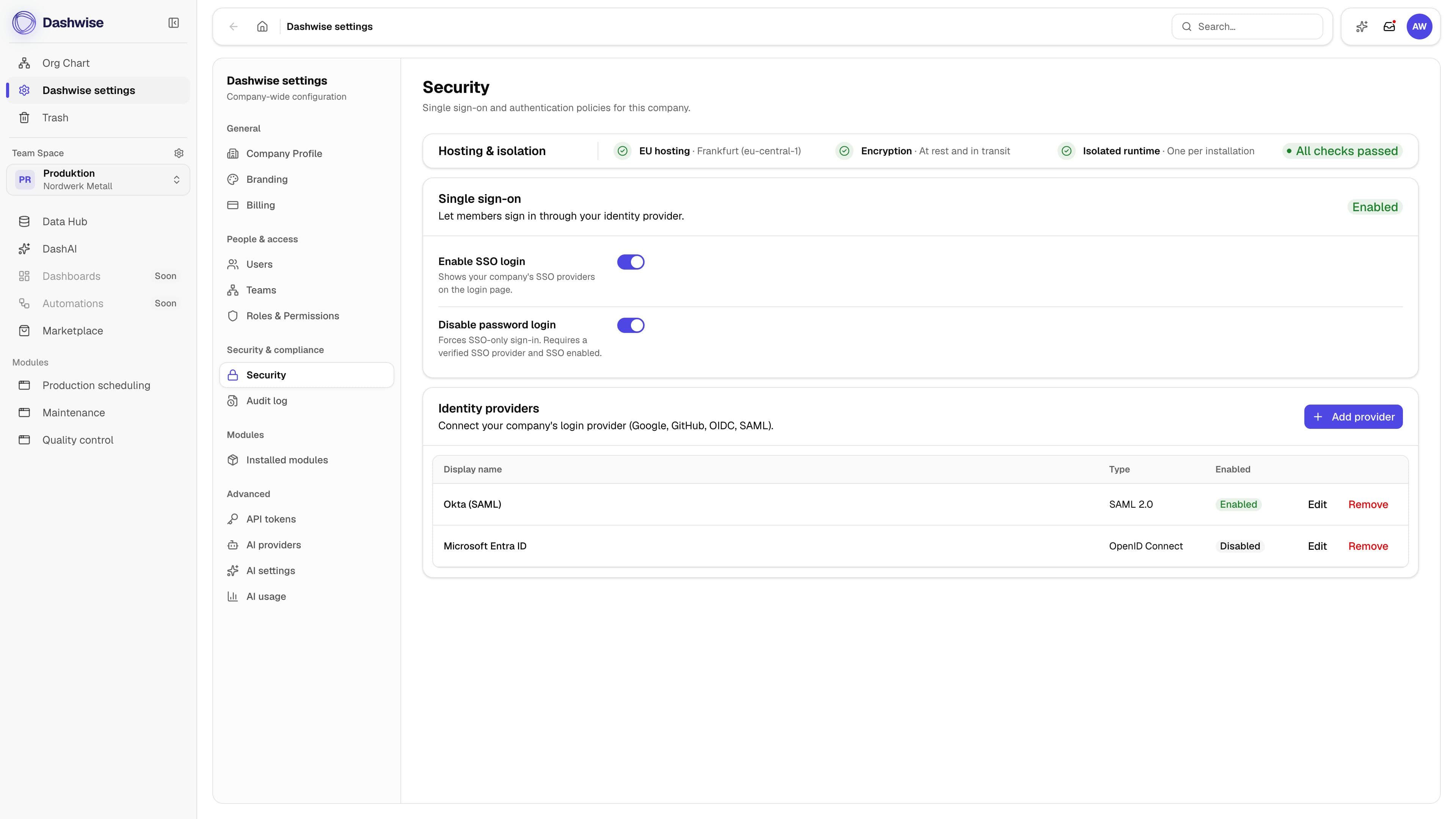
Dashwise Security

EU hosting, encryption, an isolated runtime per installation. Nothing added later opts out.

  • EU hosting, encrypted in transit and at rest
  • One scoped key per installation, revocable at any time
  • Ten years of audit log, across every module

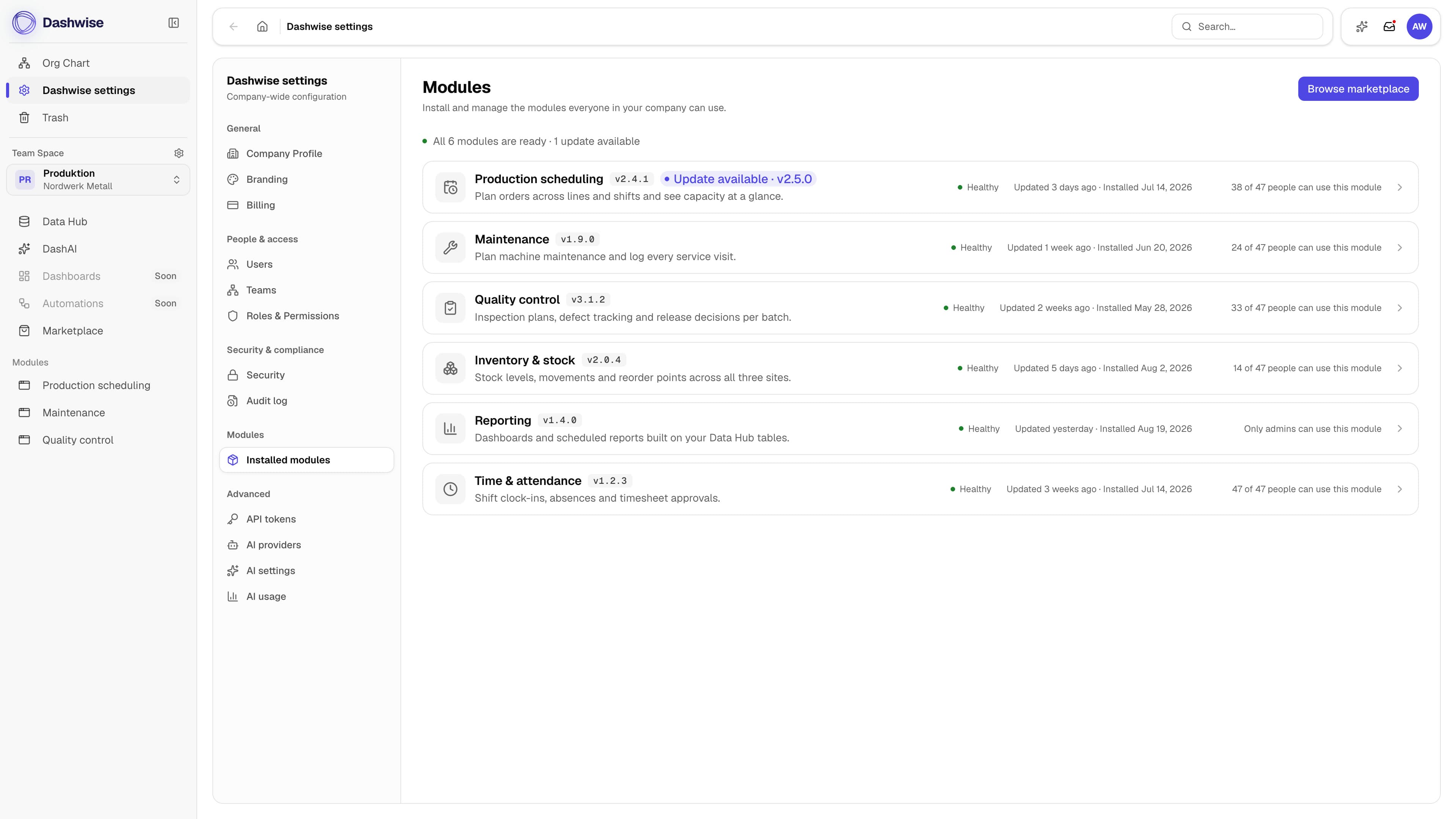
Modular and scalable

Start with one module. The next arrives when the work asks for it, and modules version independently.

  • Install, pause or remove a module without touching the rest
  • Pricing follows what is switched on, per workspace
  • Custom modules run on exactly the same runtime

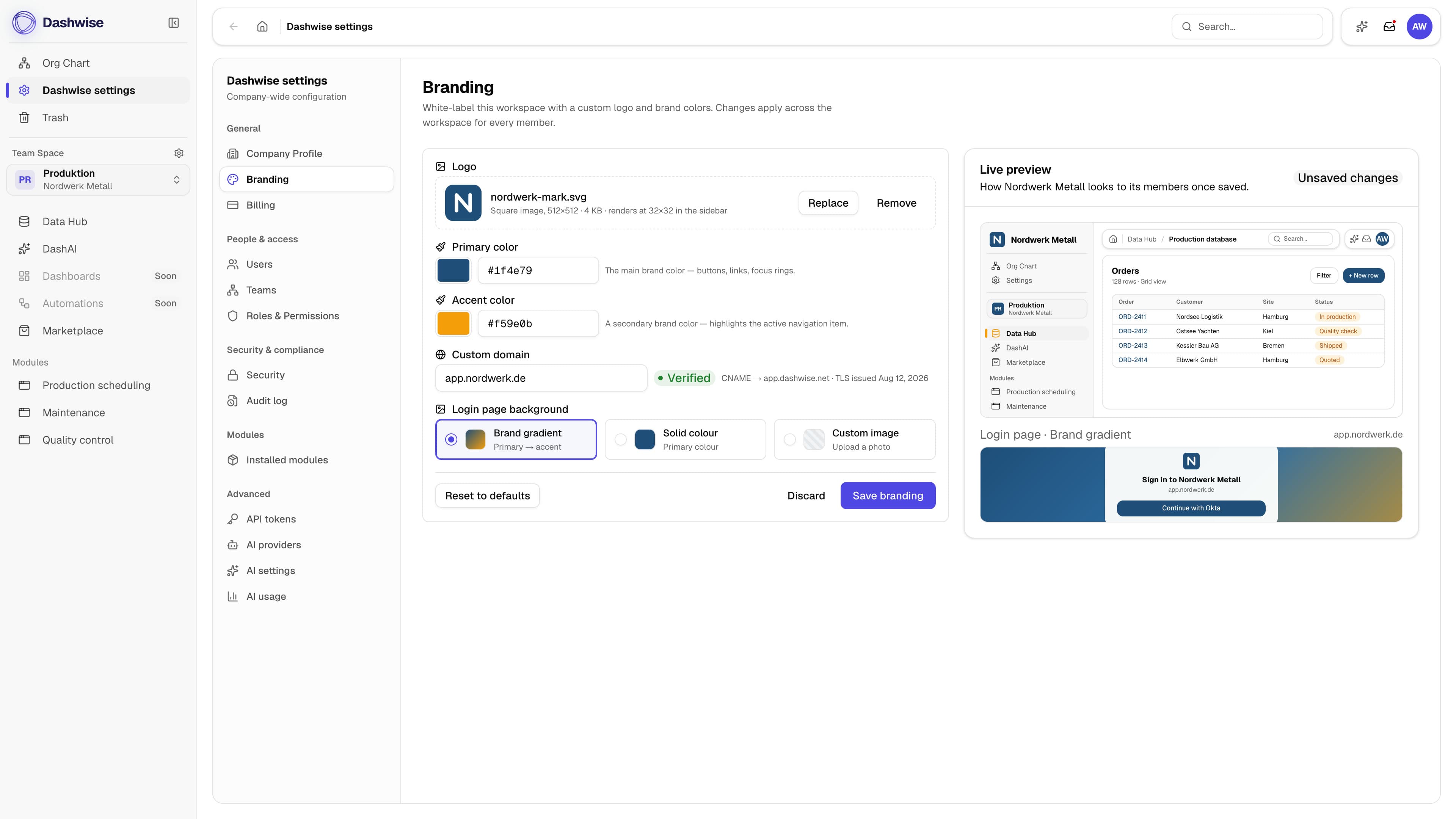
Custom branding and many more settings

Your logo, colors and domain on the workspace your team signs into, next to formats and session rules.

  • Logo, palette and a domain of your own
  • Language, formats and notifications per workspace
  • Admin settings on one screen, not scattered per module

Data Hub

Your operational data, stored as real Postgres tables, not JSON blobs.

You define your data layer yourself: tables, fields, relationships, views. Each one is a real Postgres table you can query directly.

  1. Migrate your data

    Import from spreadsheets or existing systems. Types are checked as the rows land.

  2. Govern your data

    Access is set once and every table inherits it. Reads and writes land in the audit log.

  3. Operate your data

    Modules read and write through declared bindings. Metabase or Power BI read the same source.

Typed at the database level
Fields become real columns. Postgres enforces the constraints.
Views without copies
Filters, sorts and saved views sit on one source table.
BI-ready by default
Metabase, Power BI or plain SQL connect without an ETL step.

Modules

What are modules?

A module isn't a plugin. It's a full application, from a leave request to your entire production control, and each can be swapped on its own.

  1. Out of the box

    • In use the same day
    • Installed from the marketplace
    • Assign roles, done
    • Updates come from us
  2. Tailored

    • In days, not weeks
    • A standard module as the base
    • Fields and flows to match your process
    • The configuration is yours
  3. Commissioned

    • Ready in weeks
    • Your brief, our engineers
    • Built in your workspace
    • The module is yours
  4. Customer-built

    • On your roadmap
    • Your developers, the same SDK
    • Runs like any marketplace module
    • Module and code are yours

Explore the marketplace.

DashAI

Secure AI for endless creativity & efficiency.

DashAI runs in your workspace, on typed Data Hub tables and the permission model every module reads. It never answers past your role.

  • DashAI Chat

    • How many tasks are open today
    • What moved in this module this week
    • General questions, like any assistant
    • Nothing leaves the workspace
  • DashAI Analytics

    • A dashboard for last quarter
    • The monthly report, every Monday
    • A chart of that one column
    • Live tables, never an exported snapshot
  • DashAI Builder

    • A module for an existing process
    • A real module out of an Excel file
    • The same runtime as the marketplace
    • Changes until it fits exactly

Set before anyone asks

  • Choose your model

    Set the provider and the model per workspace, and switch any time.

  • No data leaves

    Your data stays in the workspace, and no model is trained on it.

  • Scoped per role

    Every answer is cut to the role of the person asking.

  • Admin control

    Usage, limits and who may ask at all are workspace settings.

Our vision

Software should adapt to how you work. Not the other way around.

The controls your security review asks about.

Elsewhere security is a consulting project or a paid upgrade. Here it belongs to your workspace, and never to the quote.

SSO and SCIM
Sign in through your identity provider. Joiners and leavers follow.
Granular permissions
Access needs the grant, the role and the application's rules at once.
Scoped credentials
One key per installation, revocable at any time.
IP restrictions
Access can be limited to your own IP ranges.
Audit log
Every administrative action, across every module, kept ten years.
EU hosting
Your data stays in the EU, in a Frankfurt data centre.
GDPR
A data processing agreement under Art. 28, plus access, export and deletion on request.

We'll show you the platform. On one of your workflows.

30 minutes on a shared screen: the workspace, the Data Hub under it and one module, set up for a process you run today.

Rather see a number first?See pricing